Product Tour
See Apollo in Action
A visual walkthrough of the platform — from daily documentation to AI-powered insights and full administrative control.
Dashboard
Your Entire Program at a Glance
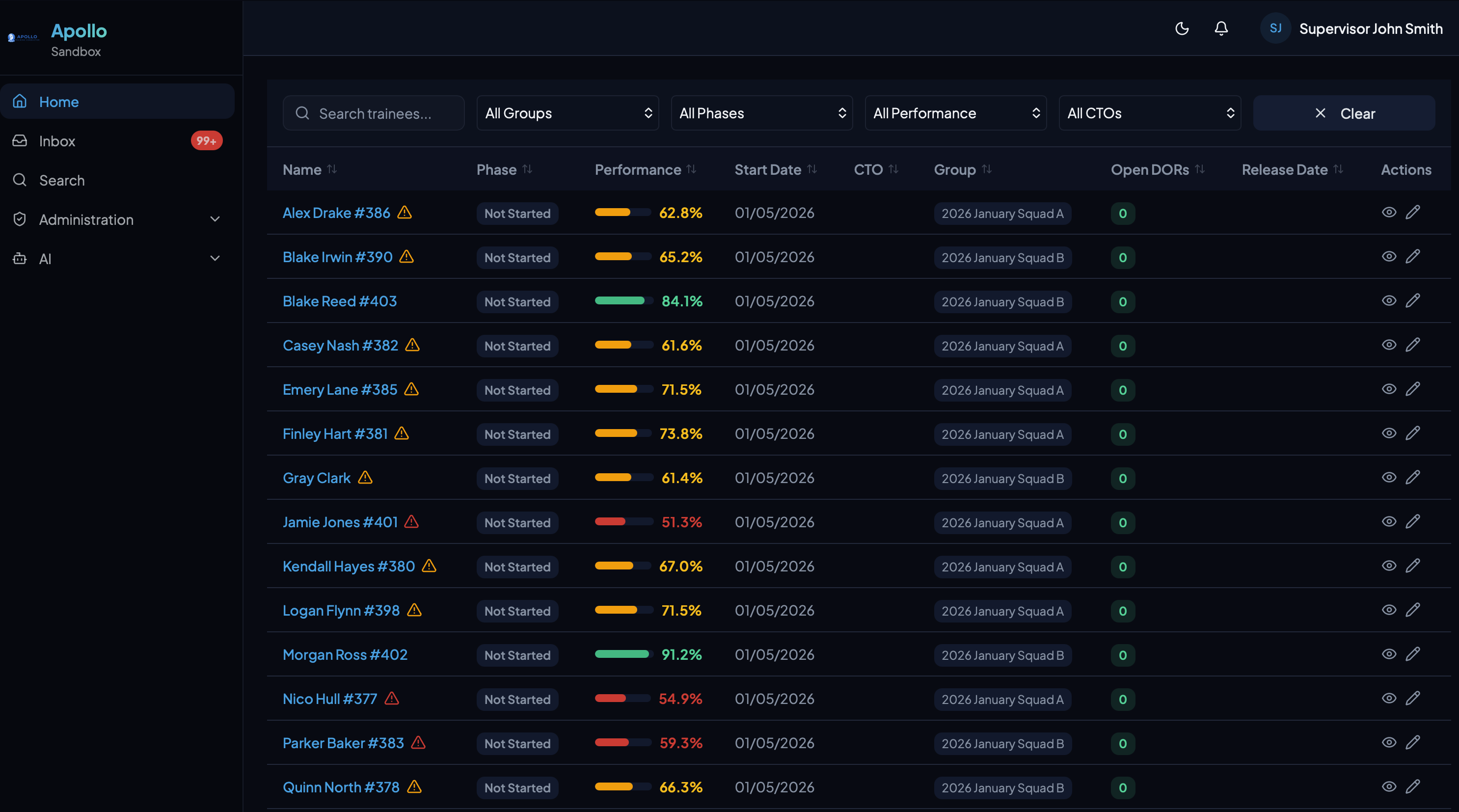
The dashboard gives supervisors and coordinators an immediate view of every active trainee — performance percentages, current phase, assigned CTO, and outstanding work.
Trainee Profile
Everything About a Trainee, One Place
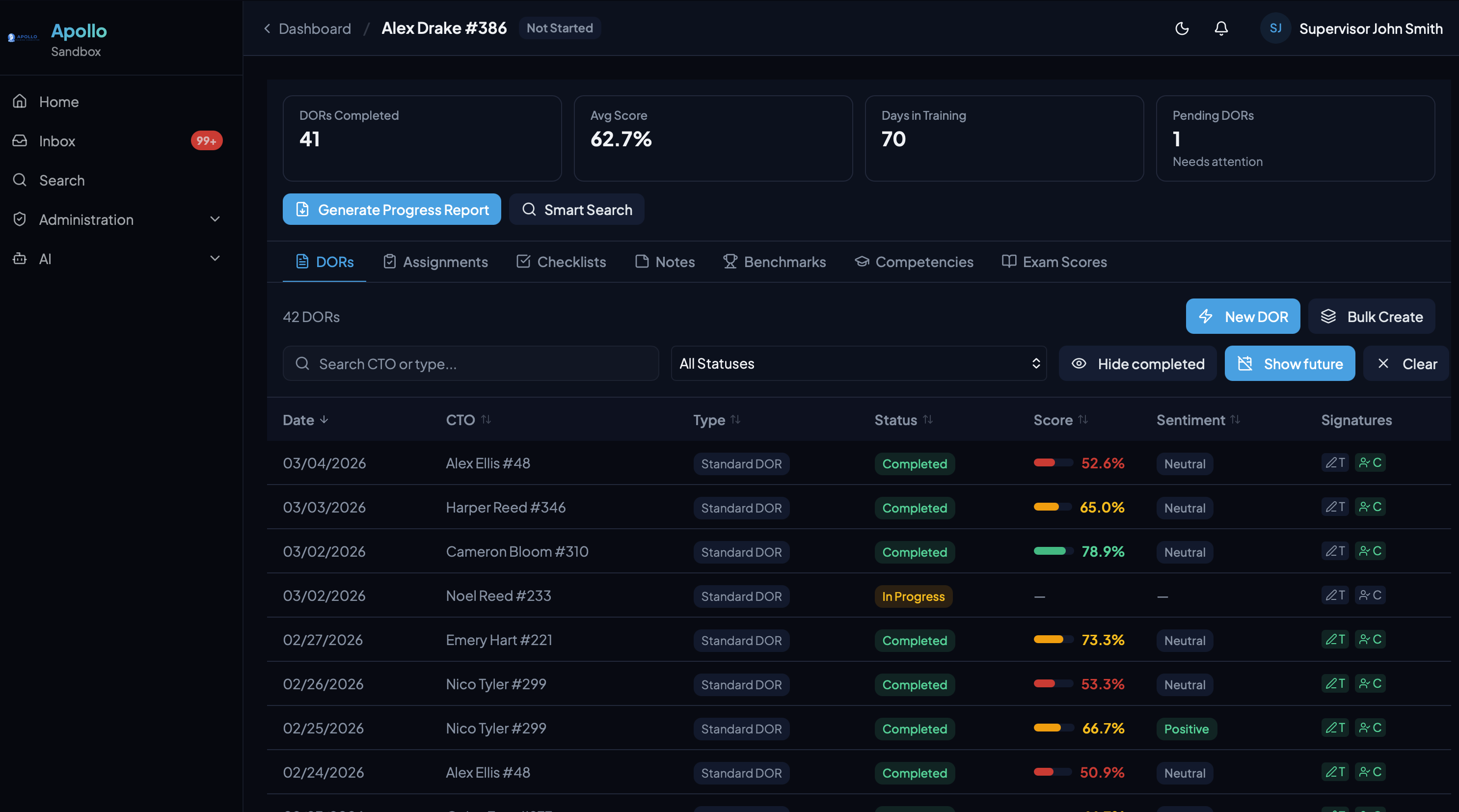
Each trainee has a comprehensive profile with tabs for DORs, assignments, checklists, notes, benchmarks, competencies, and exam scores.
DOR History
Complete record of every Daily Observation Report with scores, sentiment, and signature status.
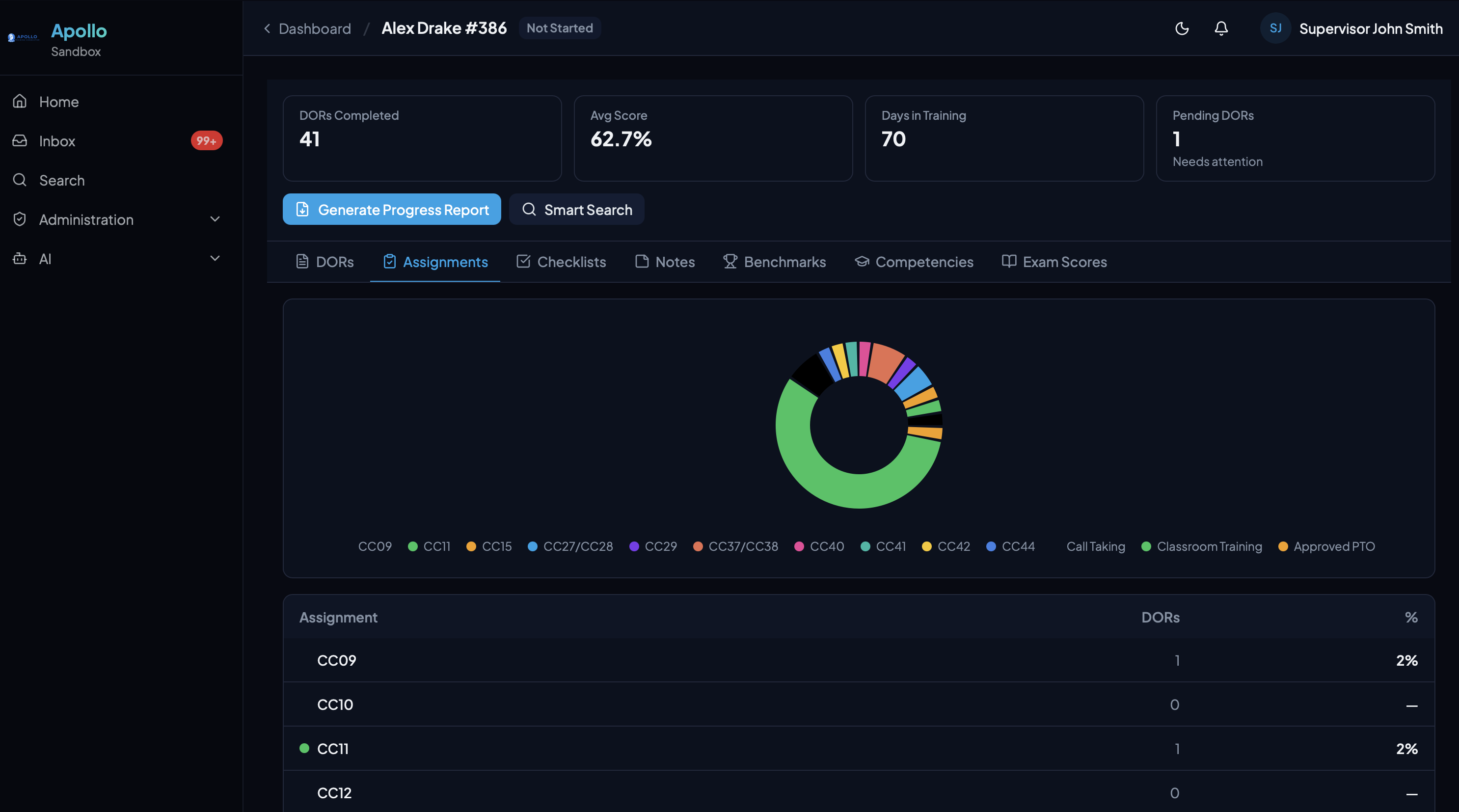
Assignment Tracking
Visual breakdown of call types and assignments with automatic cross-referencing from DORs.
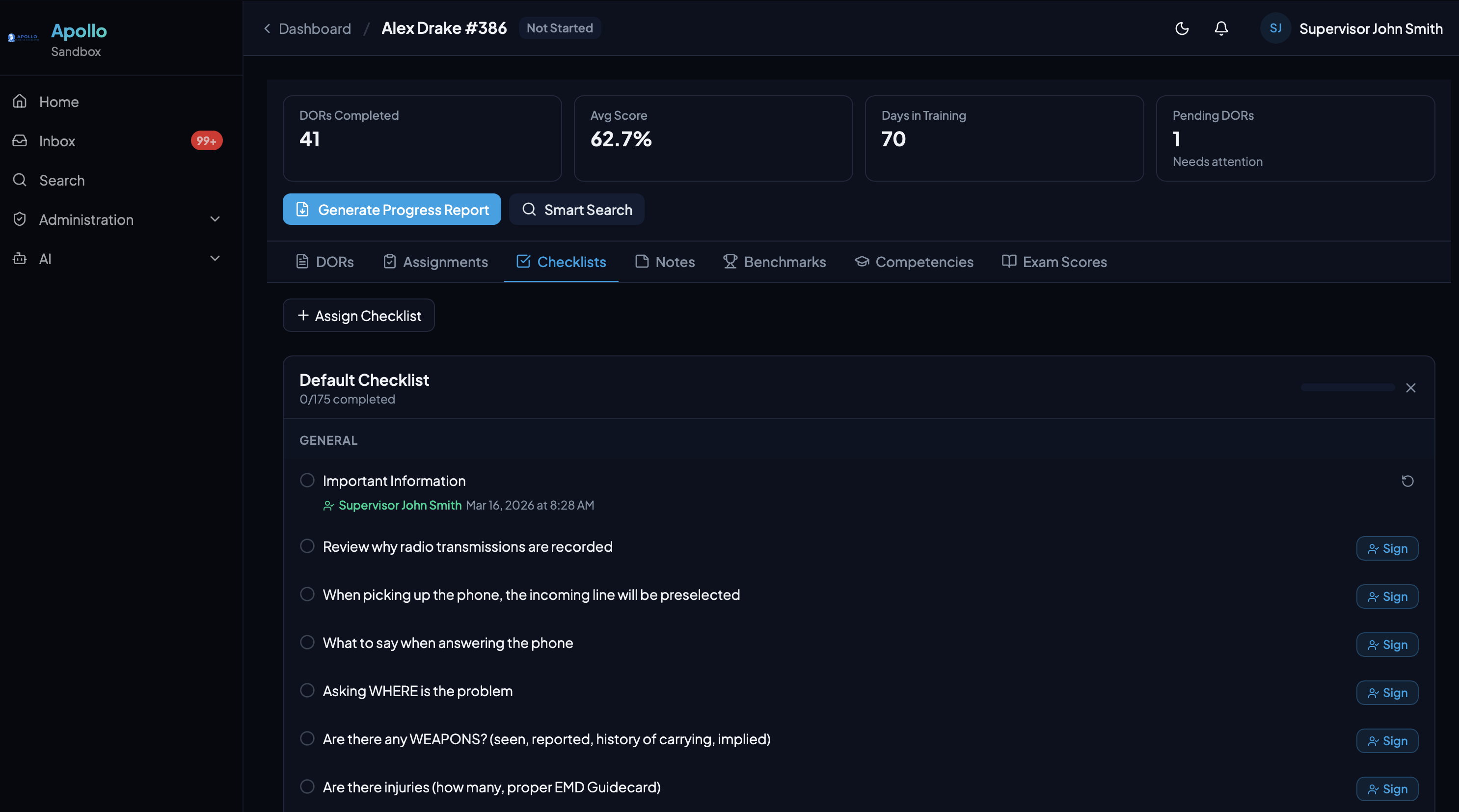
Training Checklists
Organized by category with per-topic sign-off tracking for orientation and procedural items.
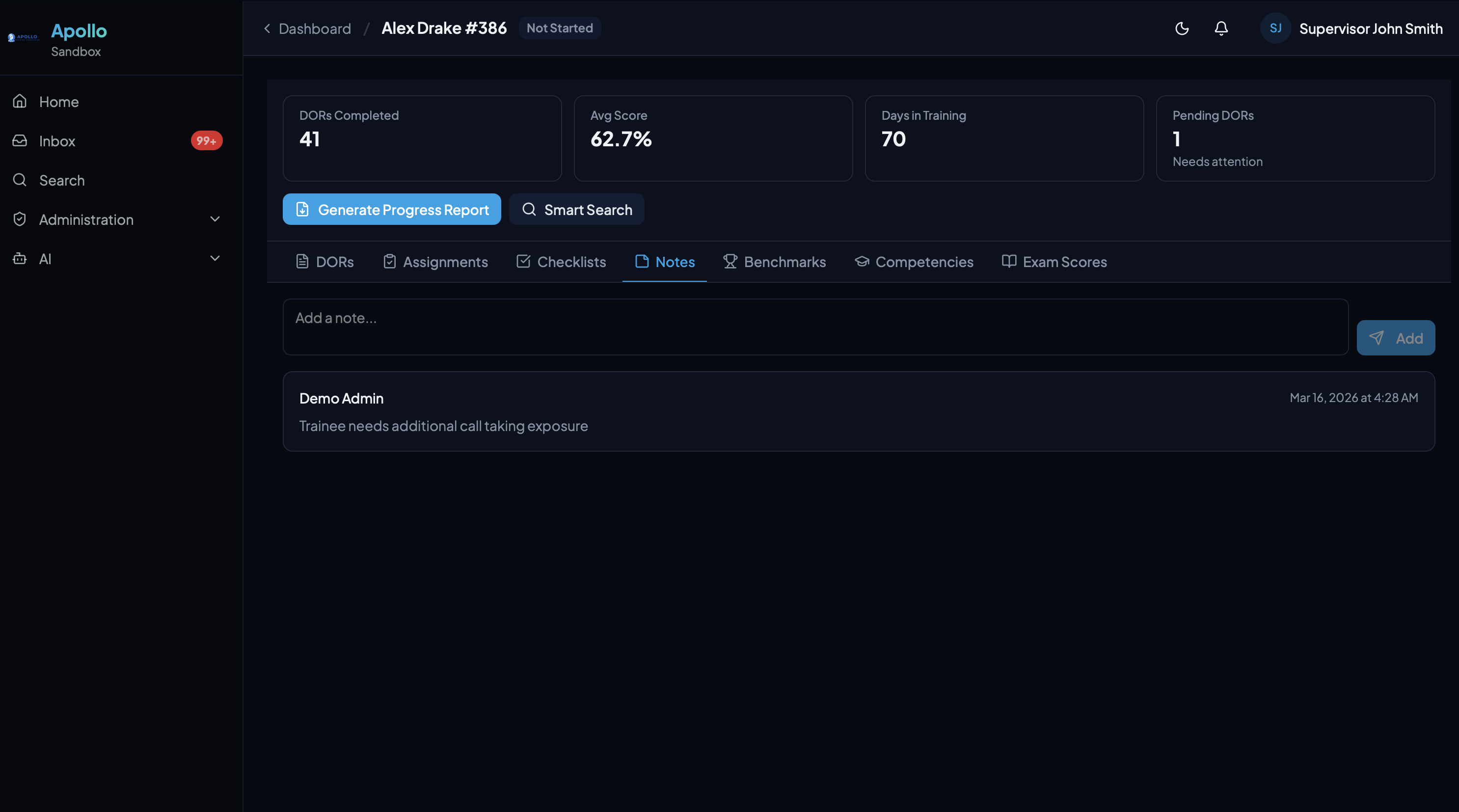
Notes
Free-form notes for supervisors to track observations, follow-ups, and context outside of formal DORs.
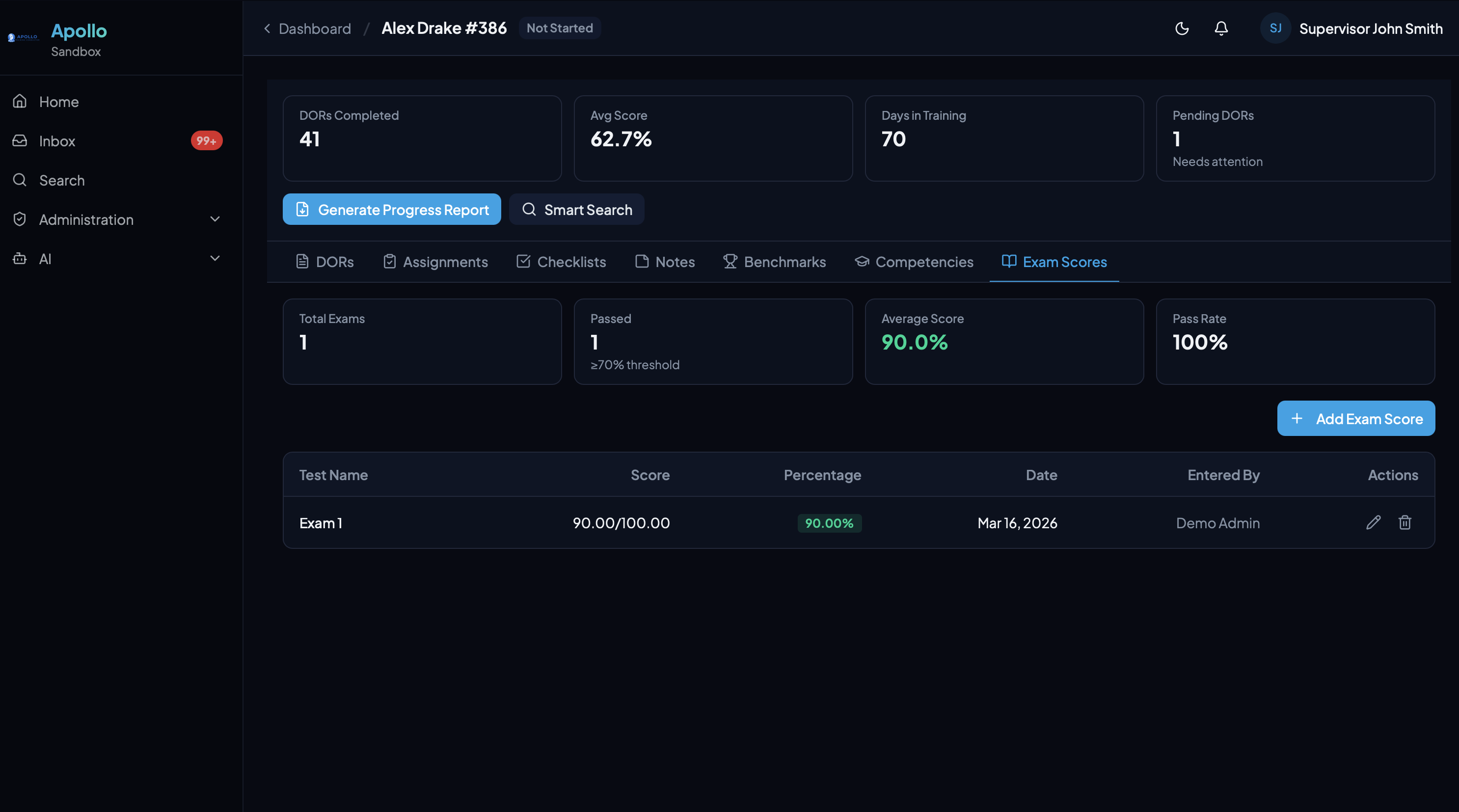
Exam Scores
Manual entry or LMS integration. Pass/fail tracking with average scores and pass rate at a glance.
DOR Workflow
From Creation to Signature
DORs flow through a complete lifecycle — create, score, narrate, sign, and review — with built-in accountability at every step.
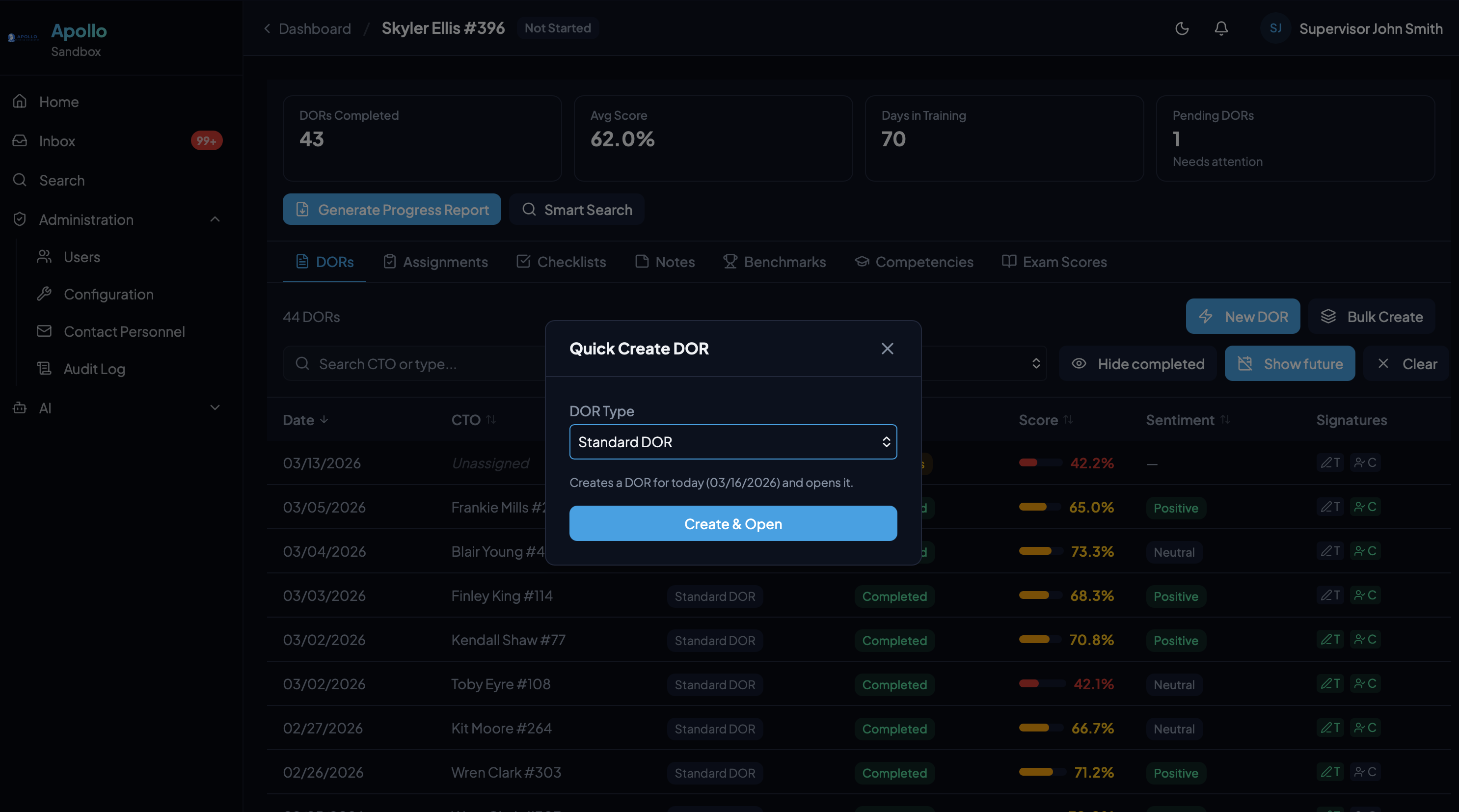
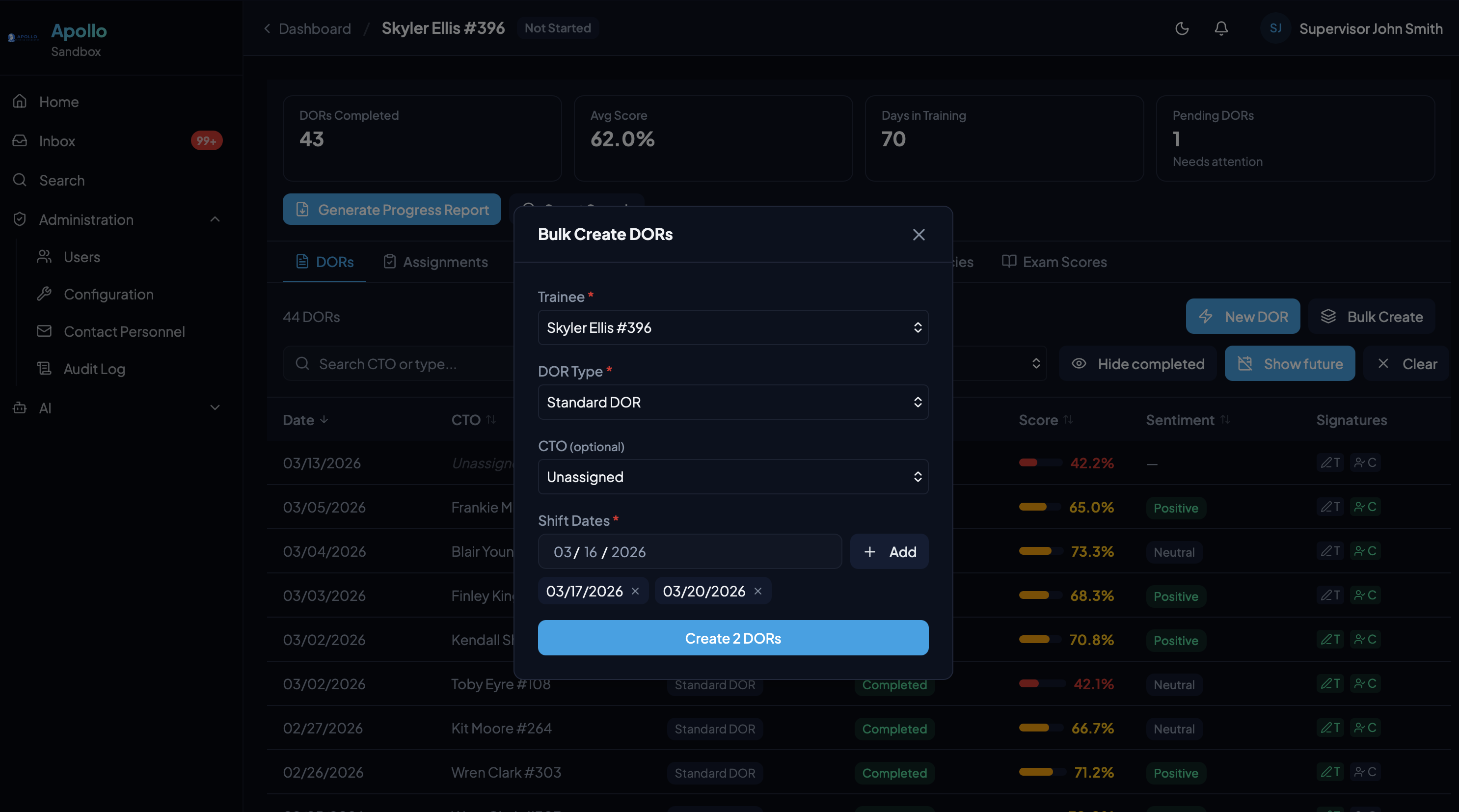
Quick or Bulk Creation
Create a single DOR instantly or batch-create multiple DORs across shift dates. Select the trainee, DOR type, and CTO — Apollo handles the rest.
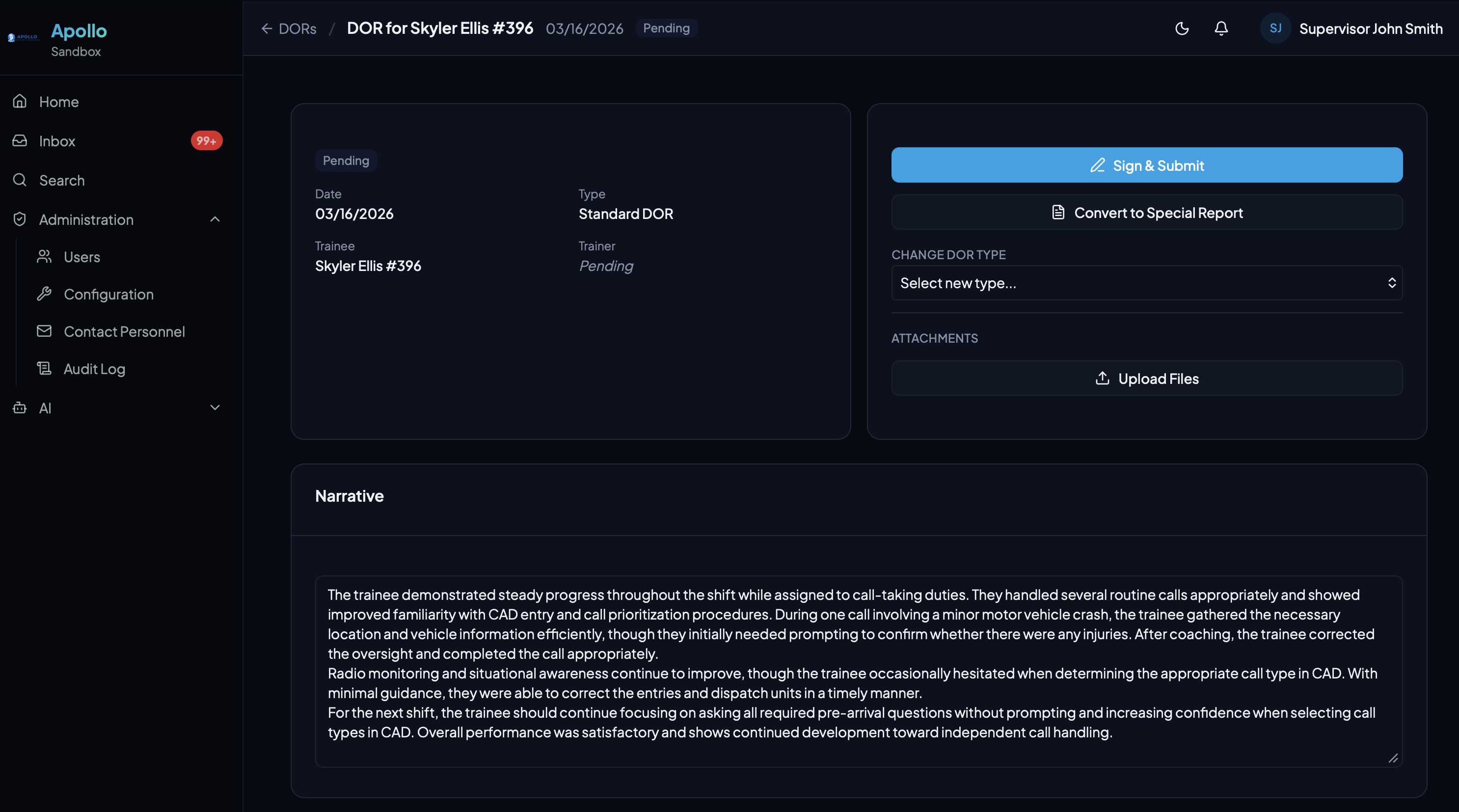
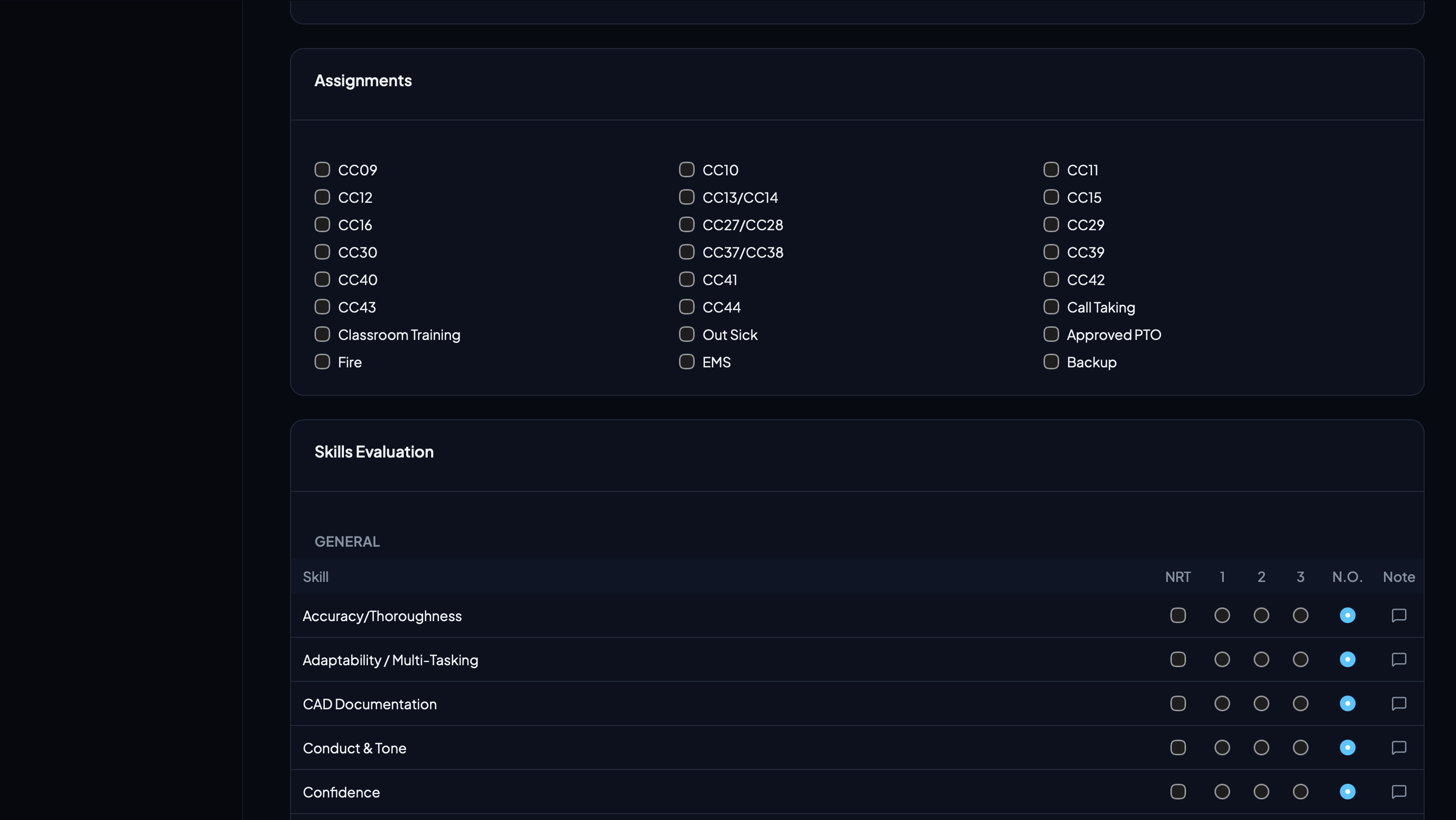
Detailed Documentation
Each DOR captures a rich narrative, assignment checkboxes, and skill-level scoring across configurable categories. Everything a CTO needs to document a shift.
Review & Corrections
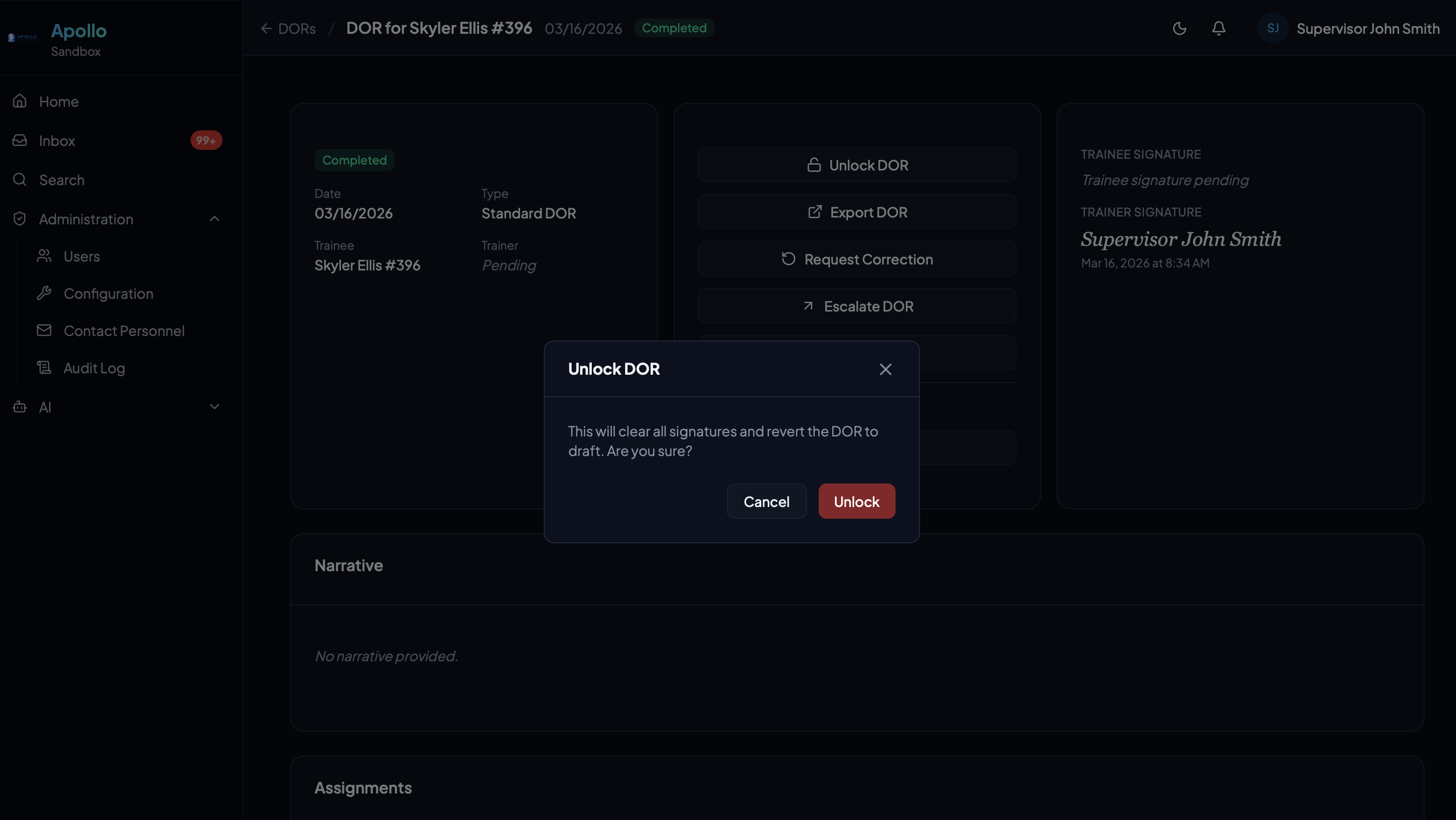
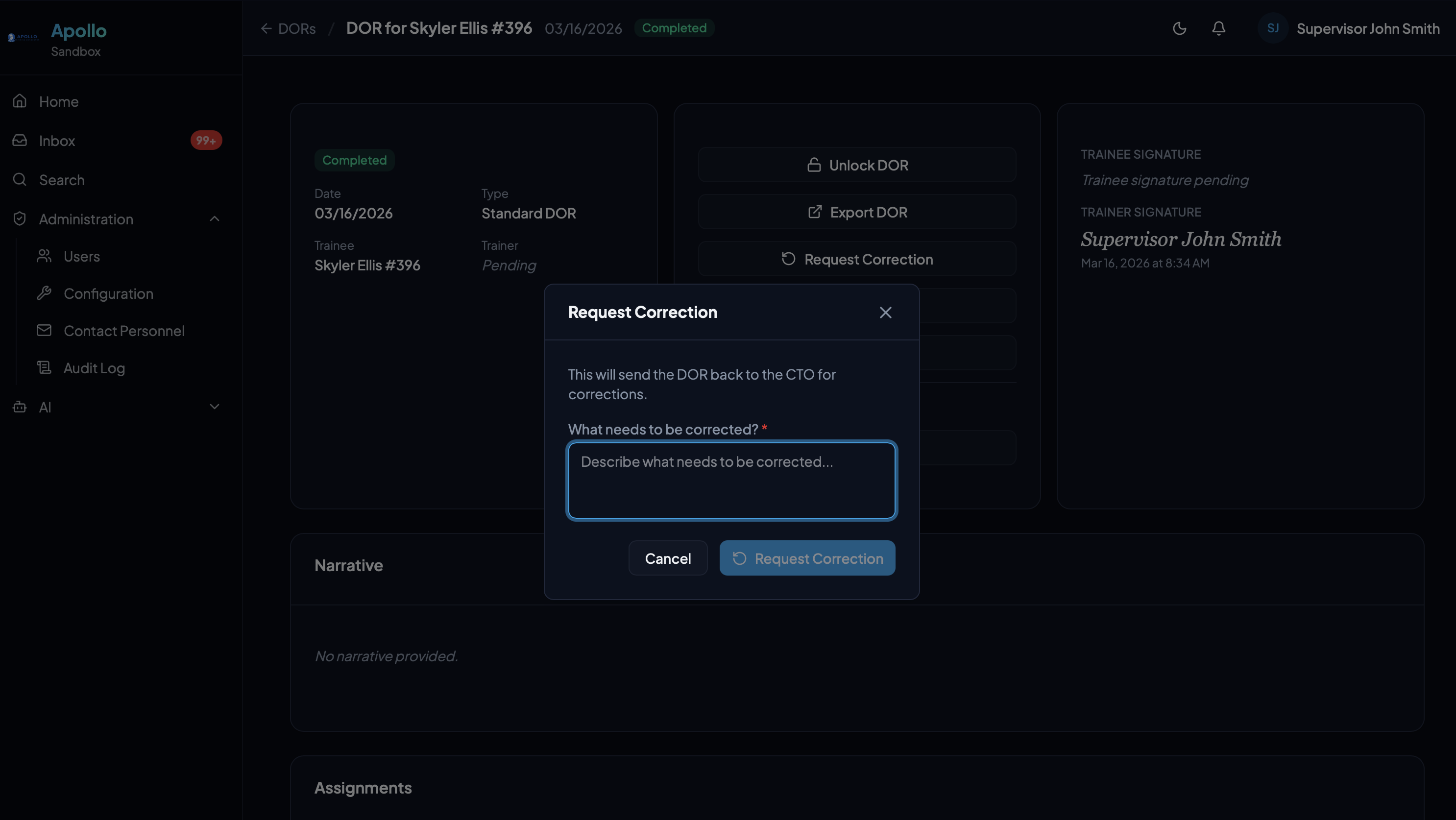
Completed DORs can be unlocked for edits or sent back for corrections with a reason. The full chain of custody is preserved in the audit log.
Unified Inbox
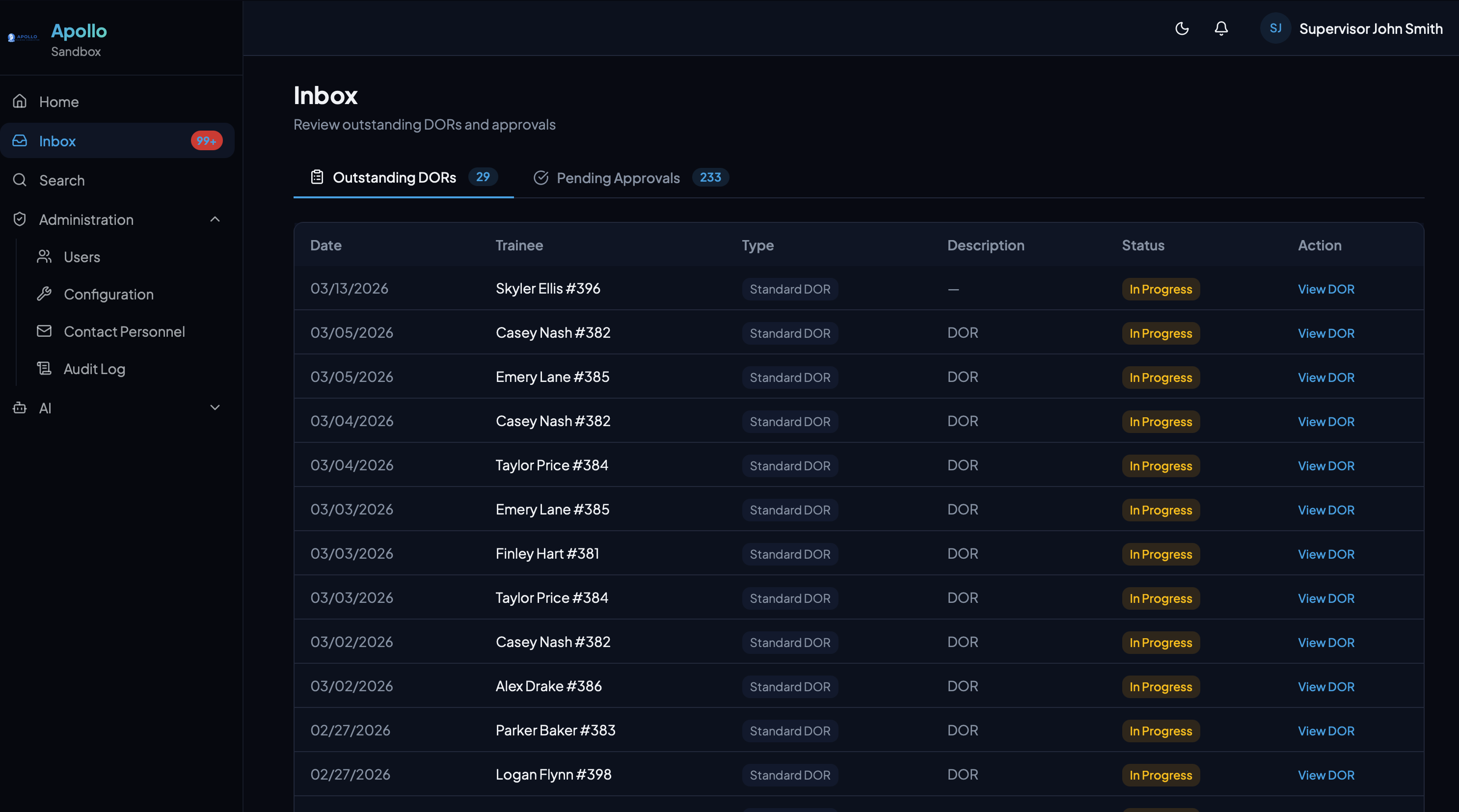
Outstanding DORs and pending approvals in one view. Nothing gets lost — supervisors see exactly what needs their attention.
AI Features
Intelligence Built Into Every Workflow
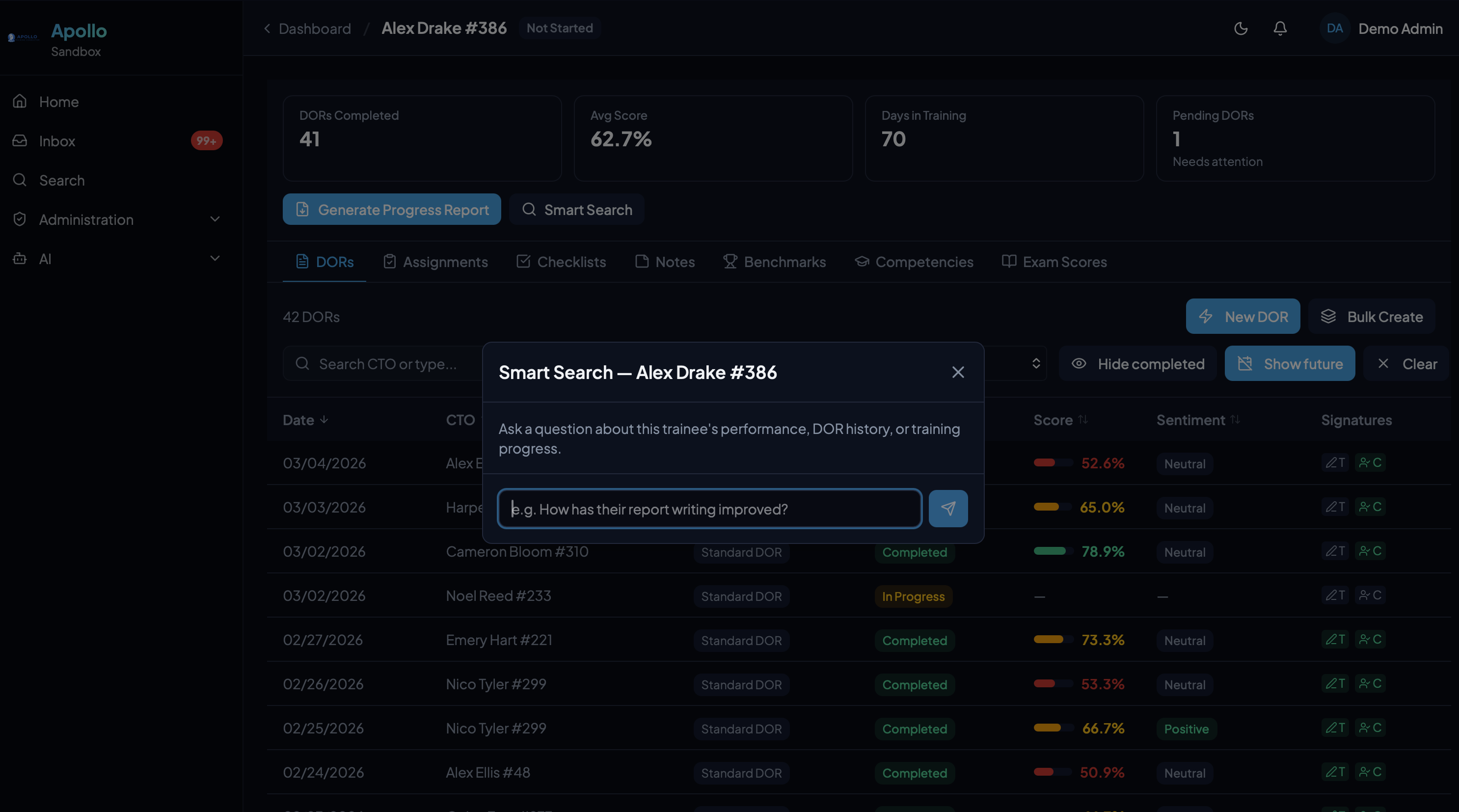
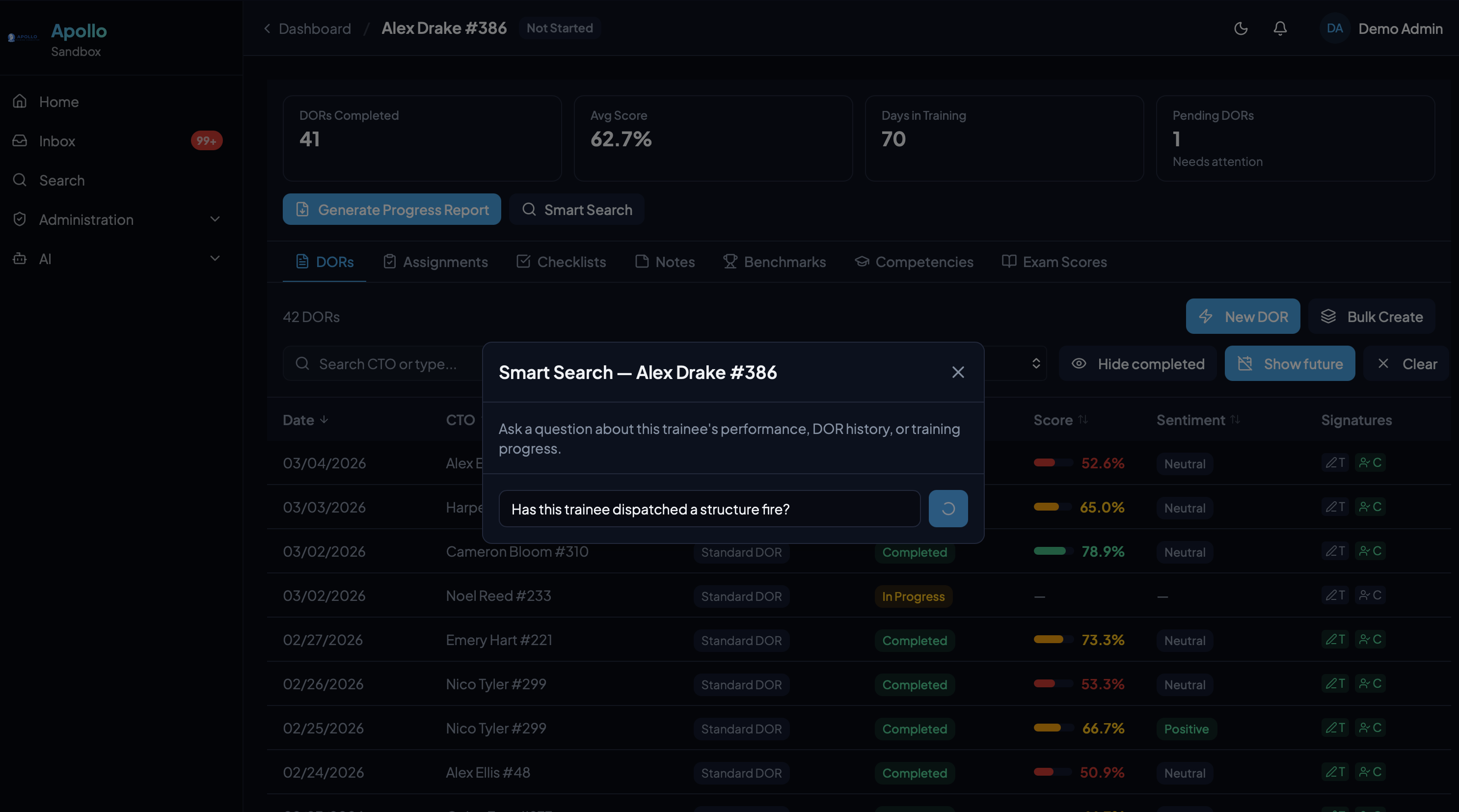
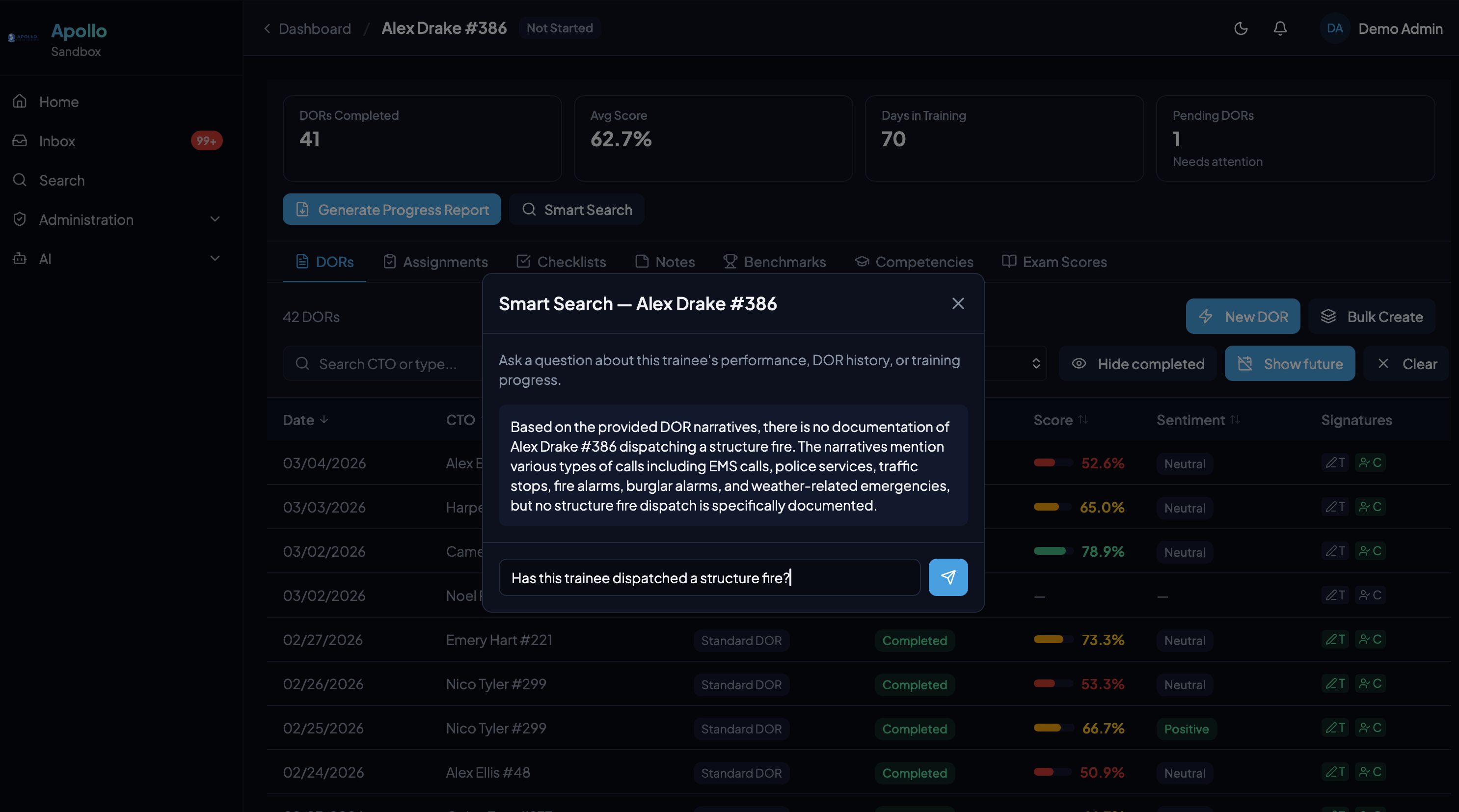
Private AI models dedicated to your agency. Ask questions, generate reports, and surface patterns — all grounded in your actual training data.
Benchmark Evaluations
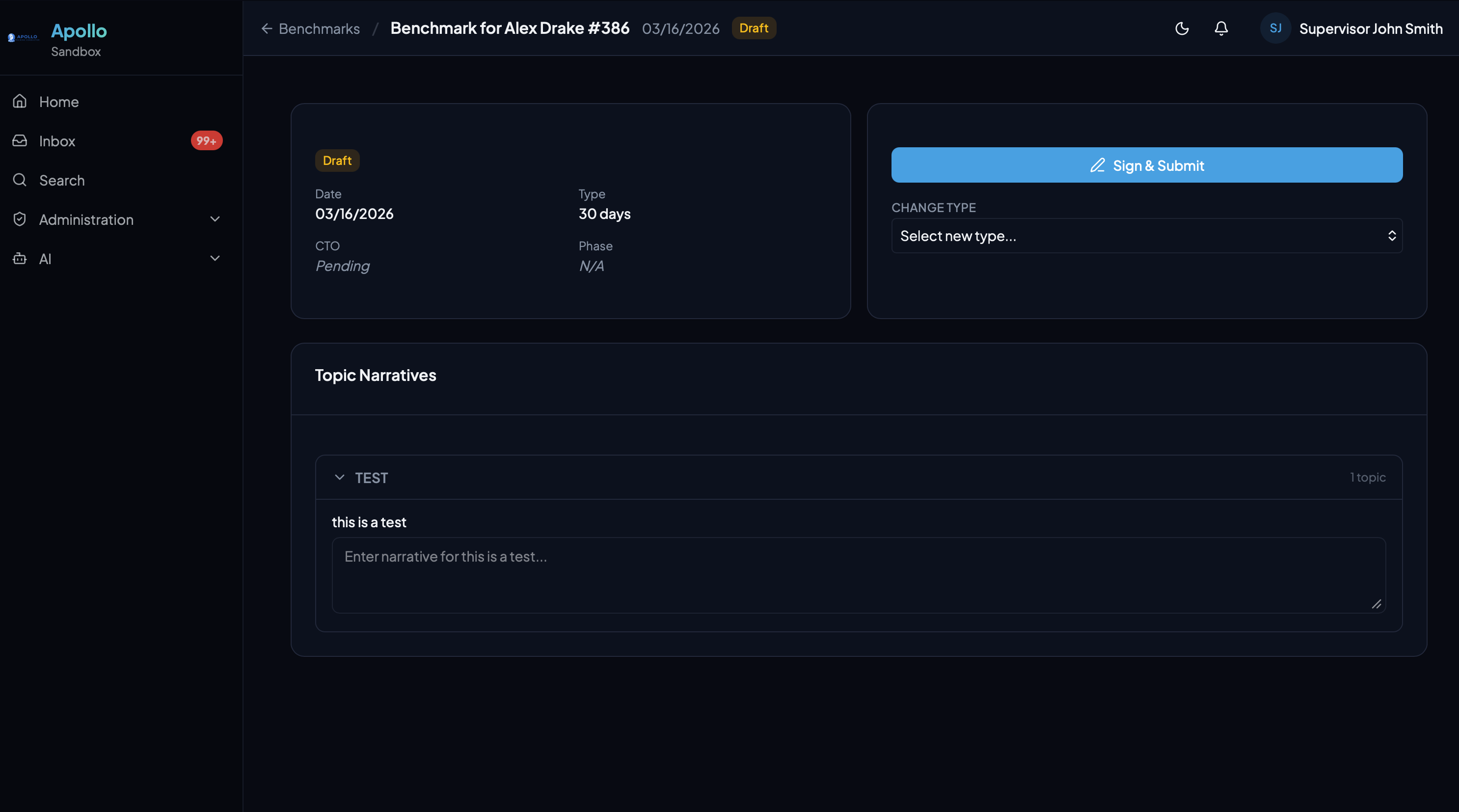
Narrative-driven performance evaluations at key milestones. Multi-topic structure with draft-to-completed workflow and dual digital signatures.
Administration
Full Control, Complete Transparency
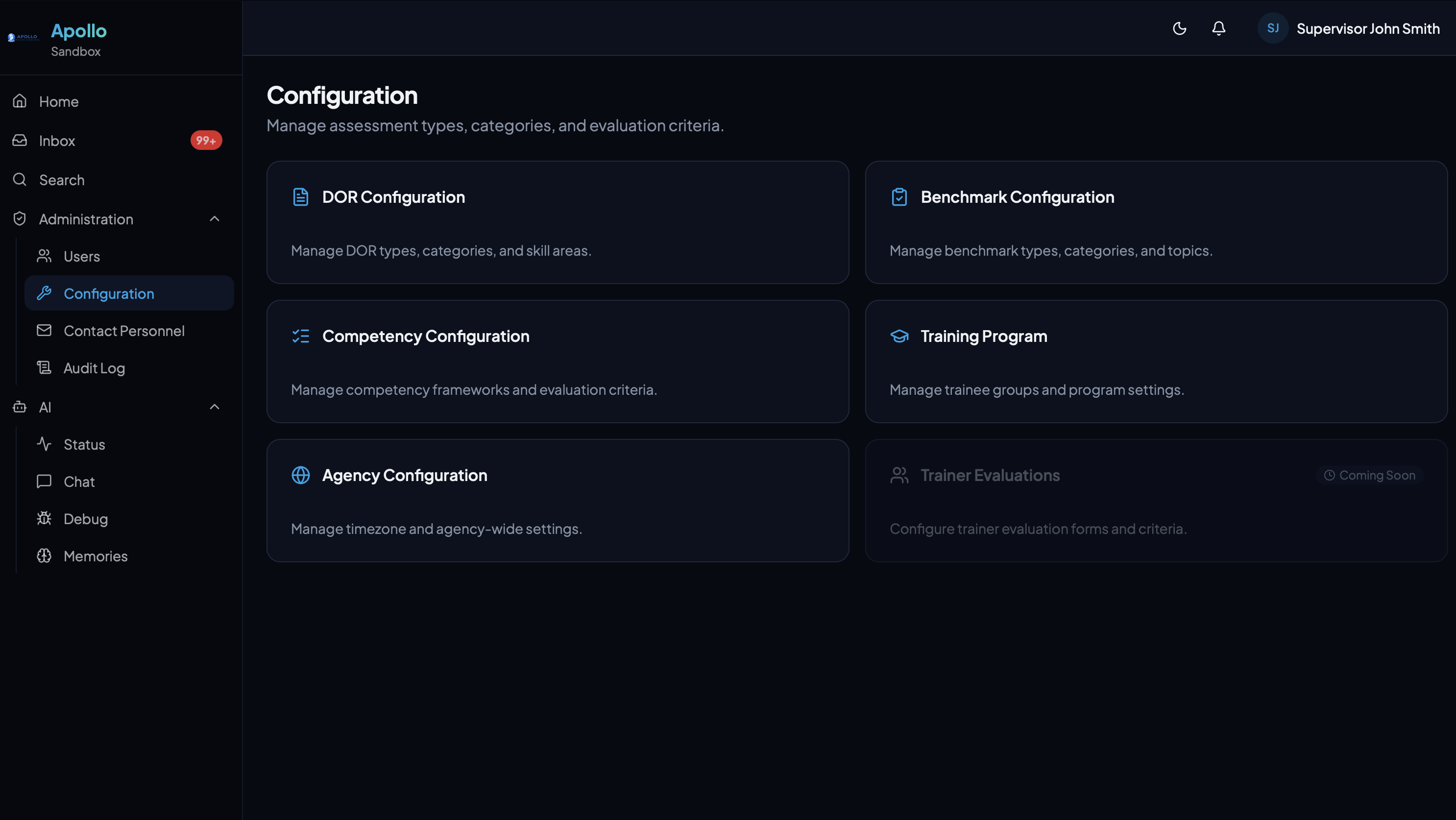
Configure every aspect of your training program, communicate with your team, and maintain a complete audit trail of every action.
Configuration
Customize scoring categories, benchmark types, competency tasks, phases, and more — no developer needed.
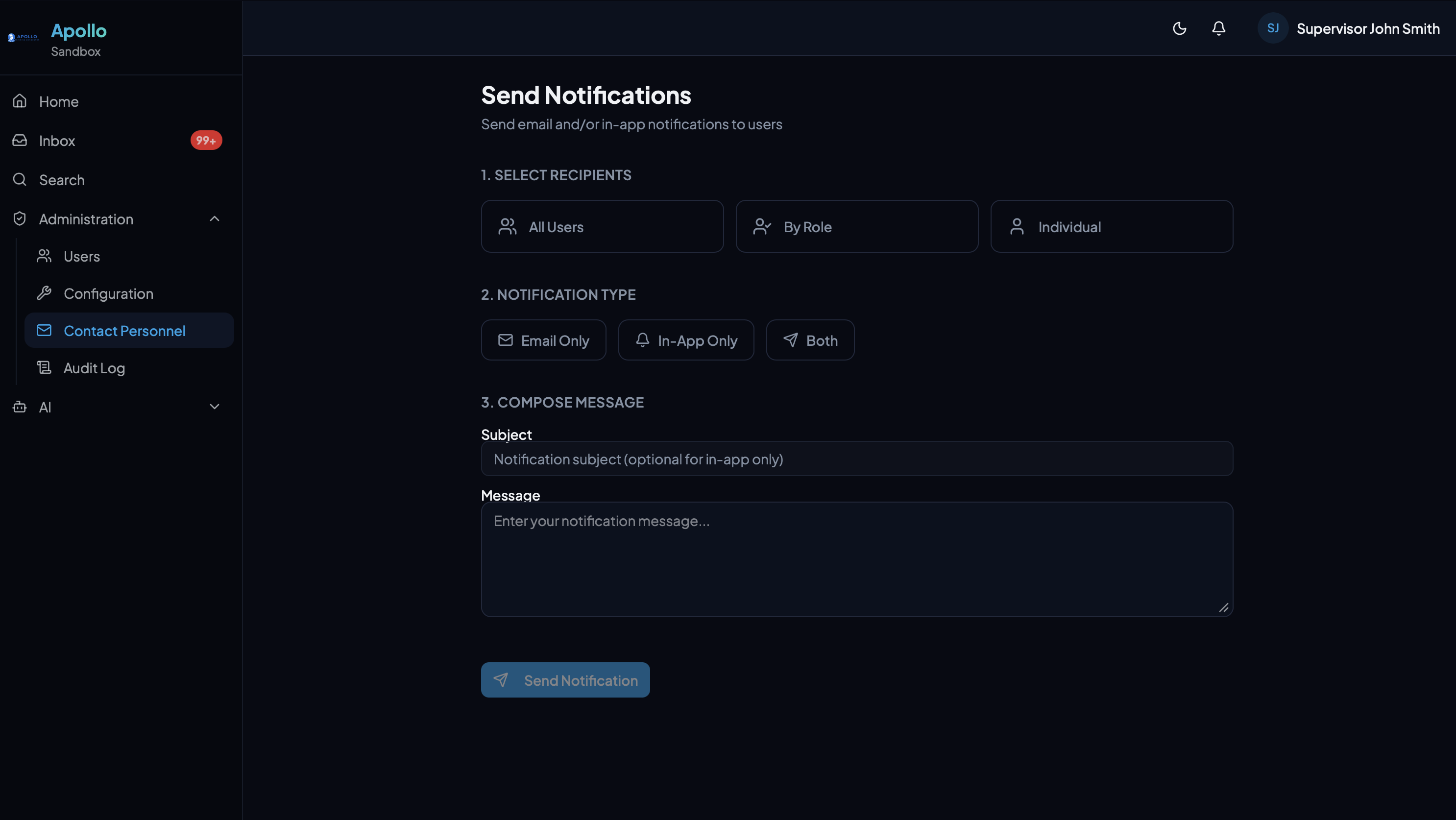
Notifications
Send targeted email or in-app notifications to all users, specific roles, or individuals.
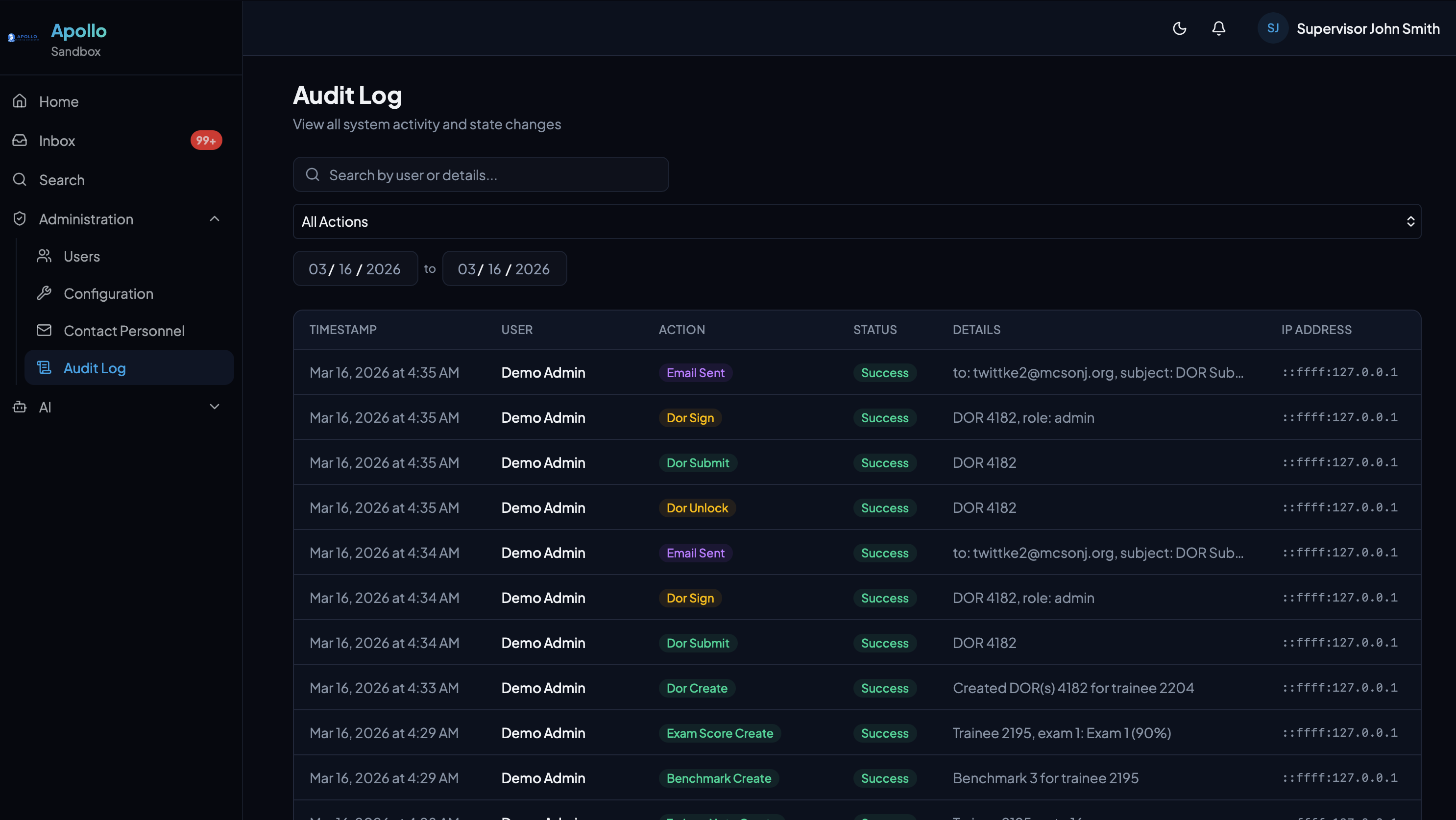
Audit Log
Every action logged with timestamps, user details, IP addresses, and descriptions. Full accountability.
Email Notifications
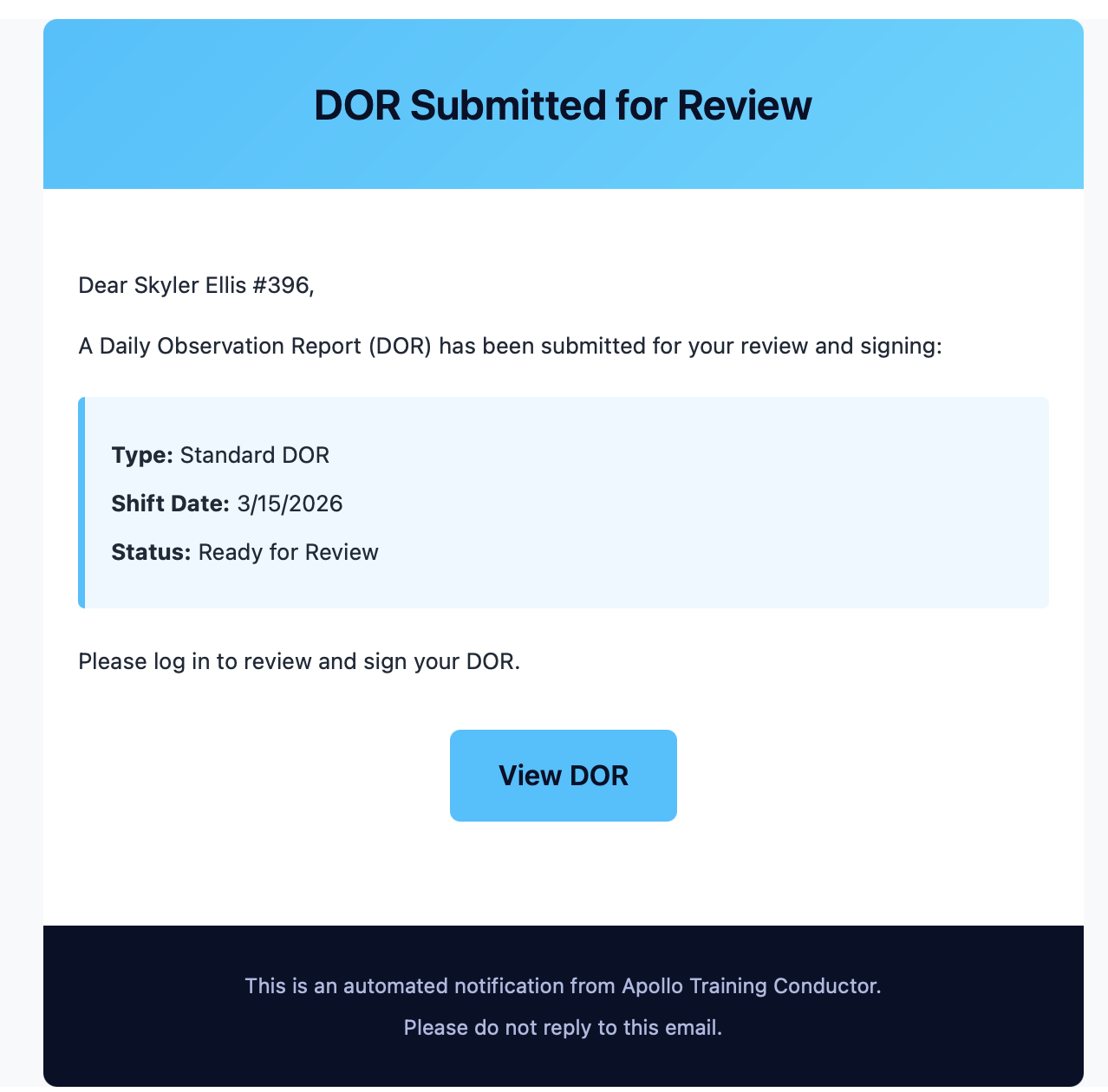
Automated email notifications keep trainees and supervisors in the loop — DOR submissions, signature requests, and more — without anyone needing to chase updates.